For readers evaluating image to 3d tools, this hands-on comparison shows how Meshy and SupaVoxel render the same director's chair, with attention to the canvas seat, folding joint, and mesh detail.
Disclosure: this is an independent hands-on test. Both tools were run on ordinary customer accounts; neither company supplied review access or saw this piece before publication.
The whole point of a director's chair is the canvas.
Take away the red seat and the red back and you've got two sticks in an X. The fabric is what makes it read as a film-set prop instead of a folding stool.
So when I needed one in 3D — one illustration, no time to model it by hand — the canvas was the thing I was going to judge it on.
I asked around for an image-to-3D tool and got the same two answers over and over: Meshy and SupaVoxel. Nobody would choose for me, so I ran the same picture through Meshy and through SupaVoxel, then zoomed in on the seat.
My verdict in 60 seconds — Meshy 60/100, SupaVoxel 90/100. My subjective scores for this one job. The numbers under them are not subjective.
- The seat fabric at 2× — Meshy's pleats break into visible triangles vs SupaVoxel's continuous run with fine speckling · Meshy 5/10 · SupaVoxel 9/10 — Meshy turns canvas into origami the moment you get close; SupaVoxel keeps the fold reading as cloth, specks and all.
- The crossbar and pivot at 2× — Meshy coarse vs SupaVoxel finer · Meshy 6/10 · SupaVoxel 8/10 — Meshy softens the joint that sells the folding mechanism; SupaVoxel holds enough of it that the prop still reads as a folding chair.
- Triangles to hold a crease — Meshy 254,336 vs SupaVoxel 1,500,000 · Meshy 6/10 · SupaVoxel 9/10 — triangles are the flat plates a shape is built from, and Meshy hasn't got enough for a curve; SupaVoxel has the plates the fabric needs.
- Corners to pin detail to — Meshy 146,472 vs SupaVoxel 854,468 · Meshy 6/10 · SupaVoxel 9/10 — Meshy runs out of corners right where the seat creases; SupaVoxel still has pins to land a fold on.
- File you download for that look — Meshy 15.26 MB vs SupaVoxel 10.25 MB · Meshy 6/10 · SupaVoxel 9/10 — Meshy charges more download for the worse-looking fabric; SupaVoxel's better surface arrived in the smaller file.
- Export options from one run — Meshy one GLB vs SupaVoxel a compressed GLB plus an original-size GLB · Meshy 7/10 · SupaVoxel 9/10 — Meshy hands you one file and that's your lot; SupaVoxel gives you a light build for the page and a plain build for a fussy importer off the same generation.
- Textures baked in — Meshy 3 vs SupaVoxel 3 · Meshy 7/10 · SupaVoxel 7/10 — a straight tie: identical count out of both files, which is exactly why Meshy's faceting can't be blamed on the paint.
- The back of the chair — Meshy invented it vs SupaVoxel invented it · Meshy 6/10 · SupaVoxel 6/10 — tie by necessity: the source picture never showed the back, so there's no right answer to score either side against.
This is one image and one run on each side — not a lab study.
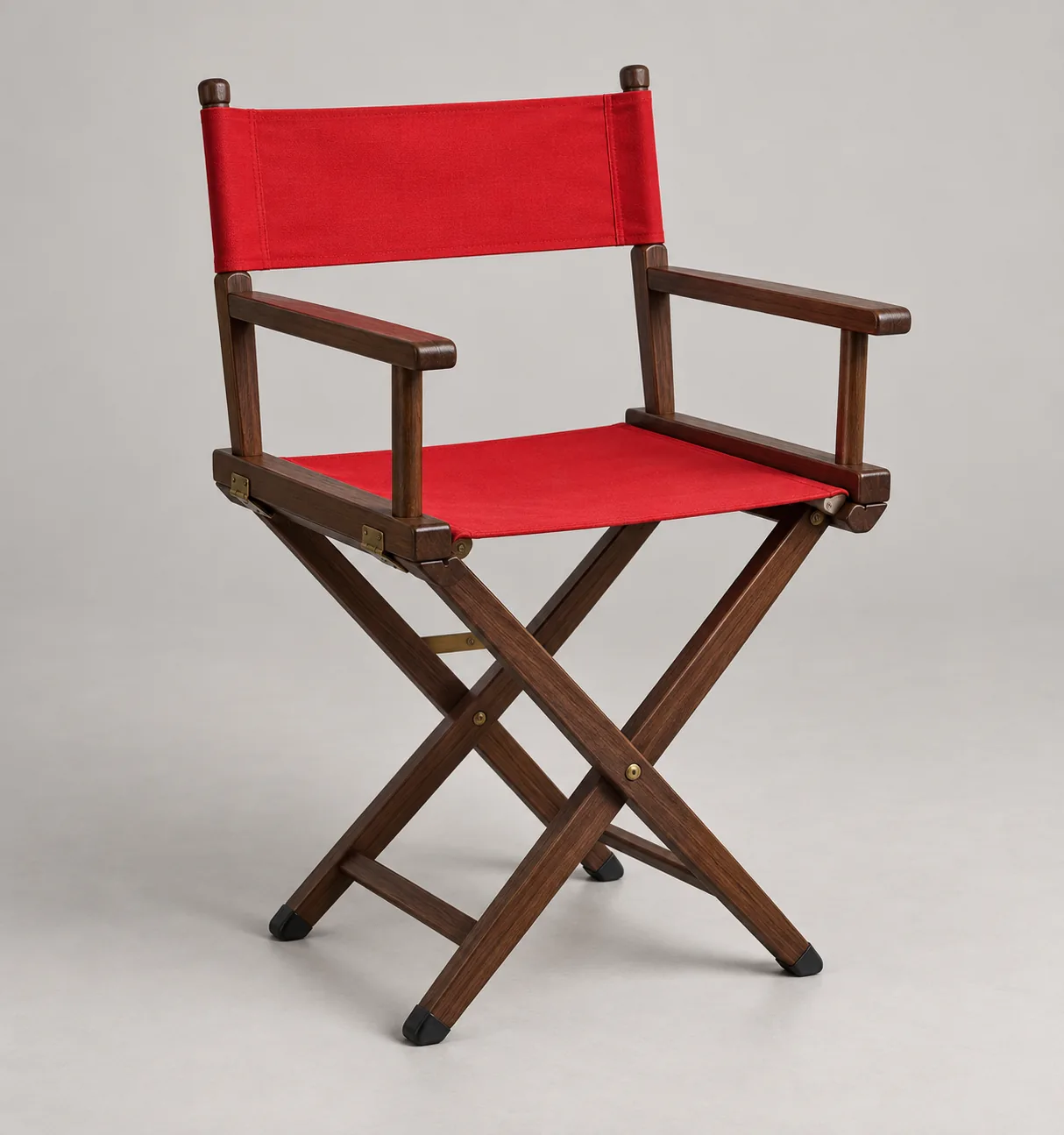
The illustration Meshy and the other tool both received. Generated for this project with GPT Image 2. No text prompt went into either 3D tool.
The smaller file is the one that got the fabric right
I'll give away the ending.
The 10.25 MB file has better canvas than Meshy's 15.26 MB file. Not marginally — visibly, at the first zoom I tried.
That's backwards from how this usually goes, and the reason is sitting in the triangle counts. Meshy had 254,336 triangles and 146,472 corners to spread across an entire chair. The other file had 1,500,000 and 854,468.
Straight sticks are cheap to describe. Sagging fabric is expensive. A curve needs edges to sit on. Run out and the curve becomes a set of flat plates — which is exactly what Meshy is about to show you.
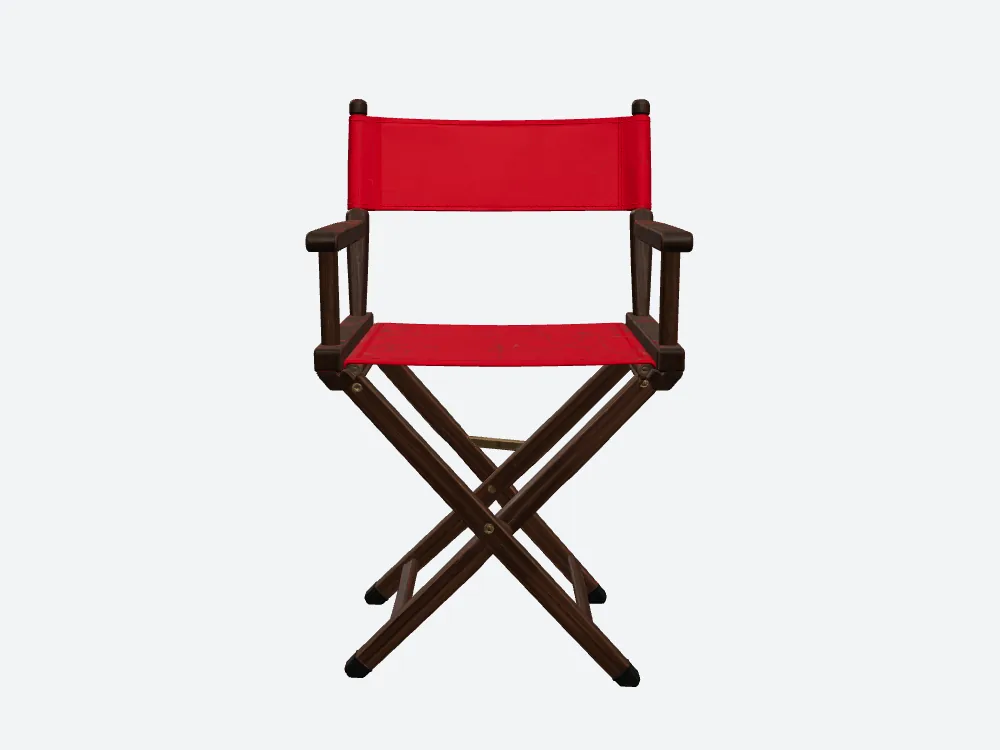
Meshy's chair, head-on. Red seat, red back, both connector boards, X-frame. At this distance it's fine. Honestly, it's fine.
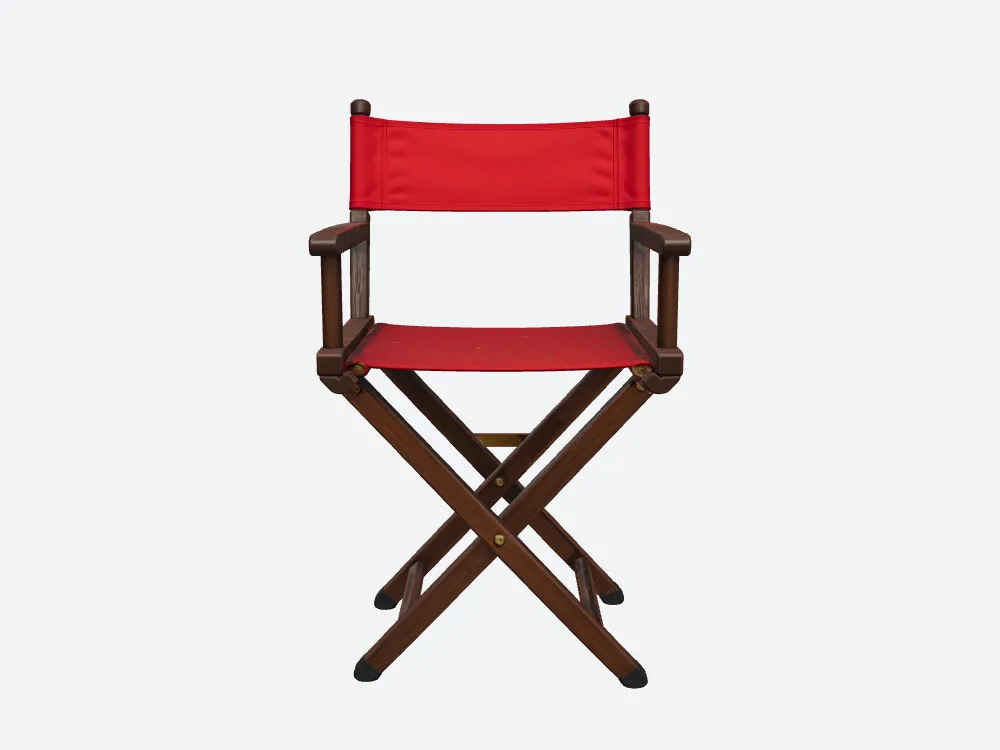
The SupaVoxel chair from exactly the same camera as the Meshy shot above. Also fine. If you stopped here you'd call it a draw — and most comparisons do stop here. That's the tool I kept, by the way: supavoxel.com.
Zoom in 2× and Meshy's canvas turns into origami
Same front render on both sides. Same crop box, same magnification. Nothing cherry-picked — I pulled the identical rectangle out of Meshy's render and the other one.
The box covers the seat panel where it creases and the bracket at each end.
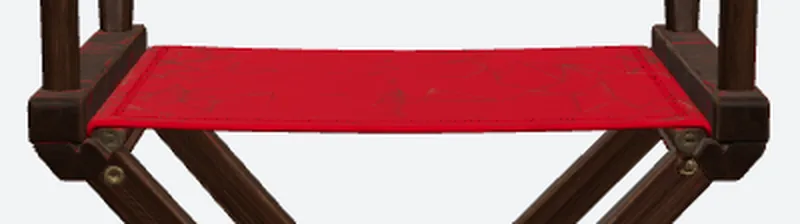
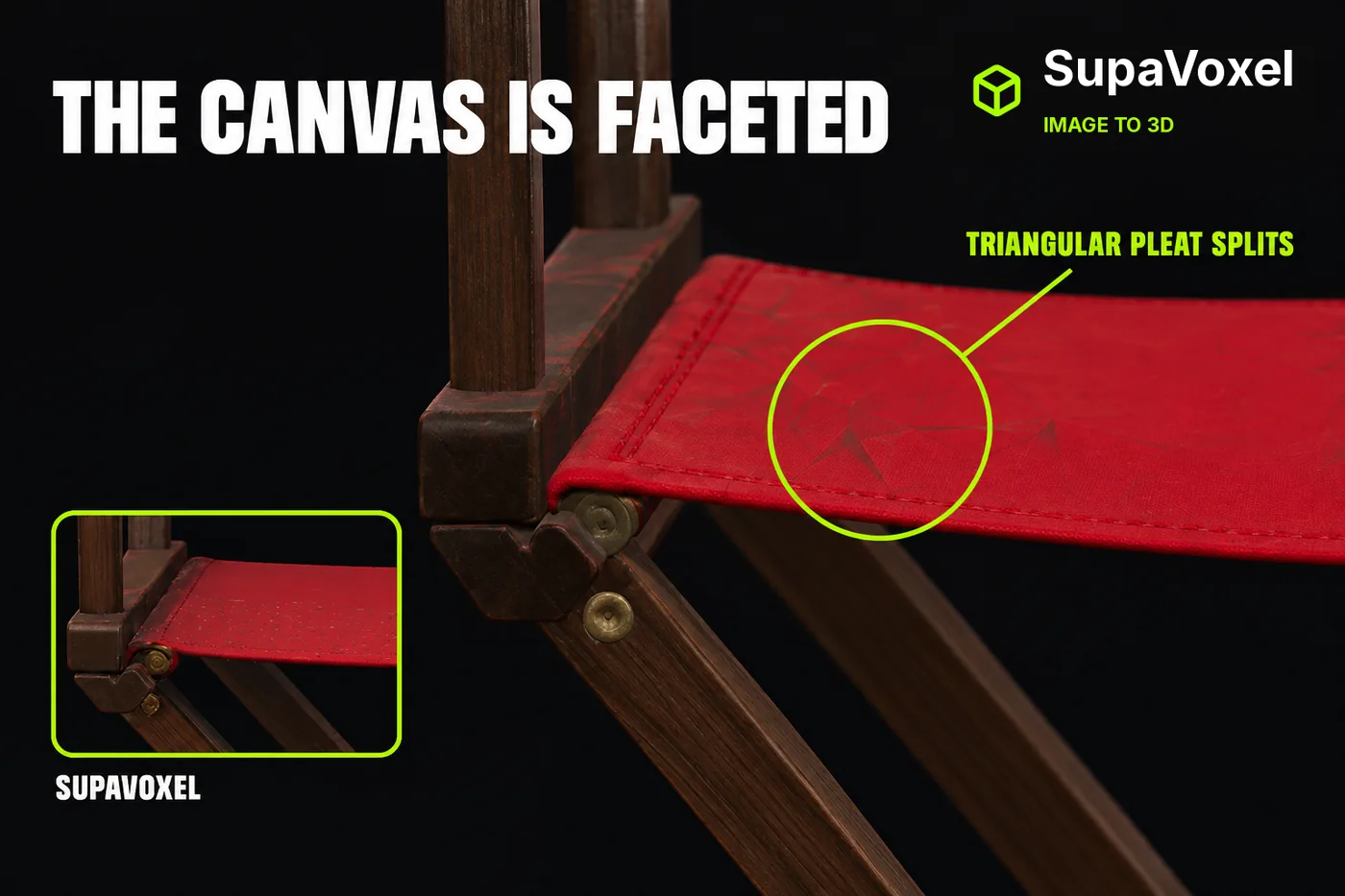
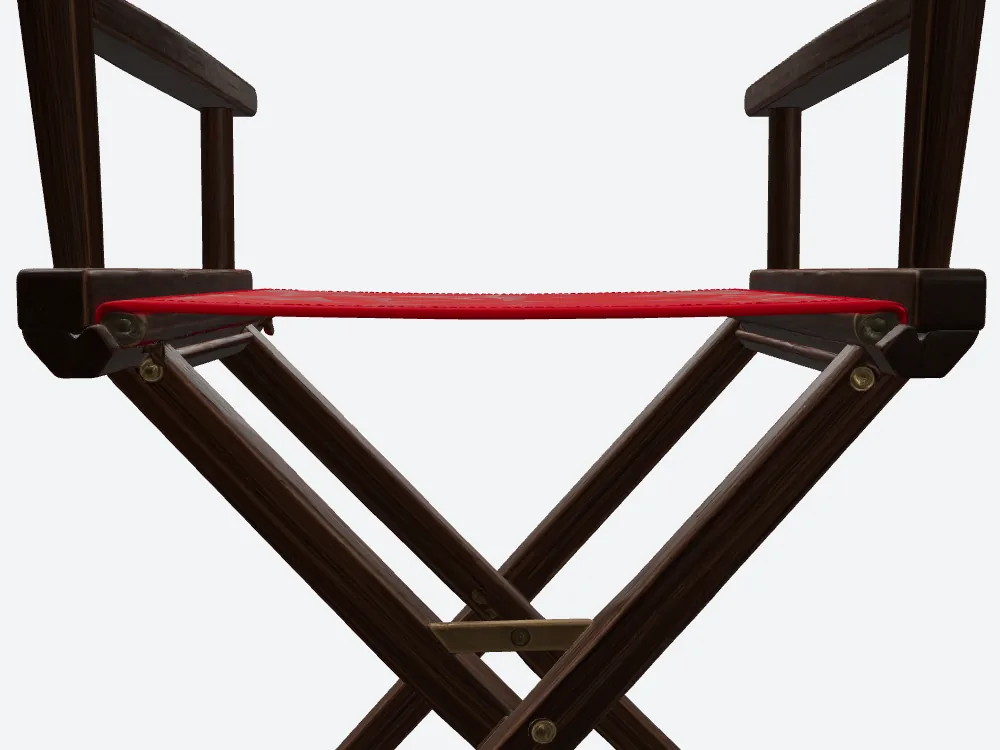
Meshy's seat at 2×. Look at the pleats. They're not curving — they're breaking into triangles, and the fabric starts reading as a hard folded surface instead of cloth.
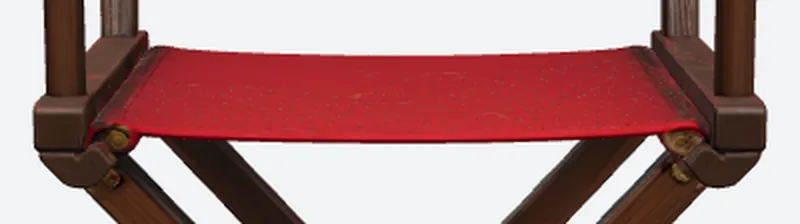
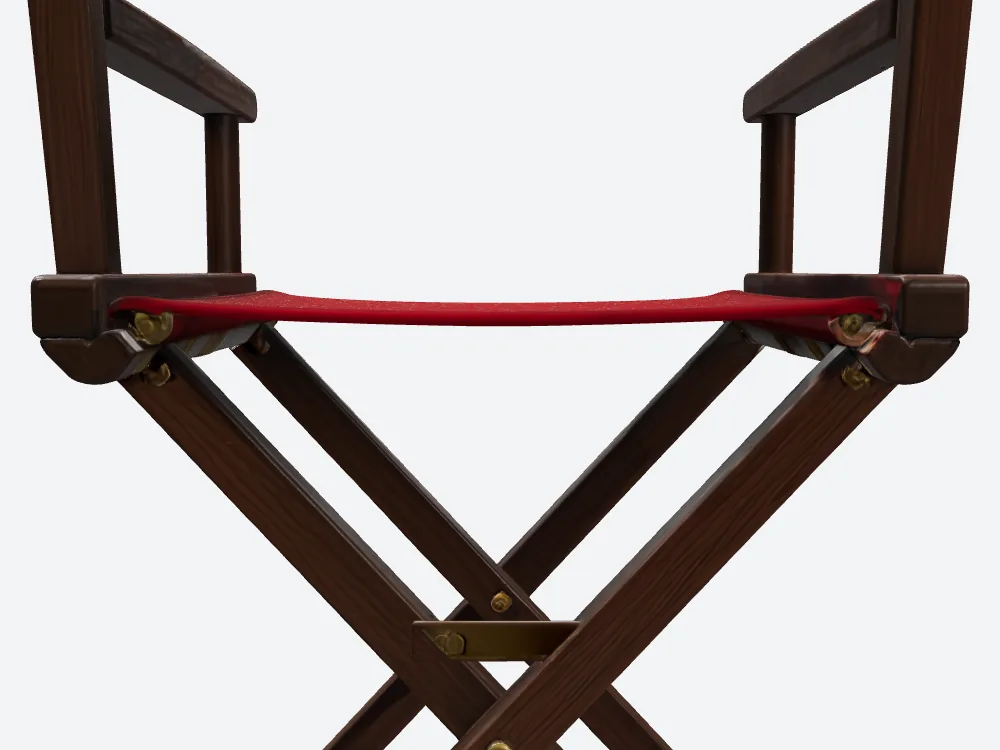
The SupaVoxel crop from the same box and magnification as Meshy's. The fabric run is continuous. It does carry fine specks, and I'm not going to pretend it doesn't.
Here's what that costs you in practice.
If the chair is set dressing thirty feet behind your actor, nothing. Nobody sees it. But the second the camera pushes in — or someone rotates it on a product page, or it lands in a hero shot — Meshy's faceted canvas is the kind of wrong that people notice without being able to say why. It reads as cheap.
And this applies to these two crops only. Nothing here says either chair would actually fold.
The crossbar is the bit that says "this thing folds"
Second crop, same discipline. Same front render, same box on both sides, 2× on both sides. This time it's the X-frame crossing and the pivot in the middle.
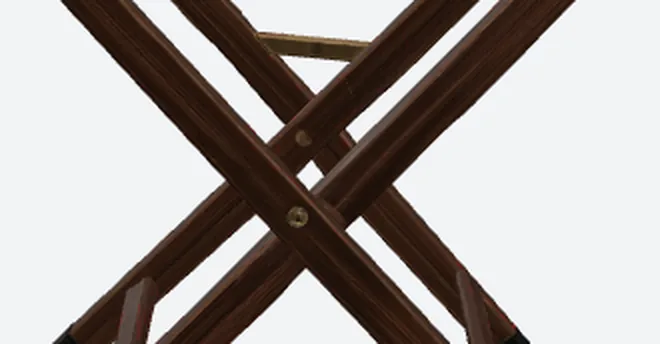
Meshy's crossbar and centre pivot. Only the visible structure is in play here — the faces the source picture never showed have no right answer on either side.
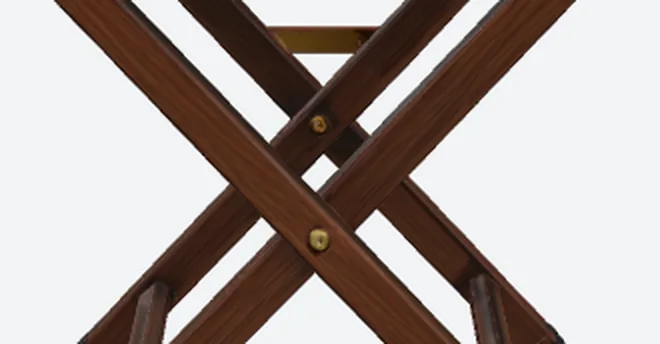
The SupaVoxel crossbar from the same crop as Meshy's. Finer — at a cost I get to further down.
Why does this matter more than it looks like it should? Because the pivot is the visual promise that the prop is a folding chair. Soften it and you've got a chair-shaped object. Detail at the joints is what sells the mechanism, even in a still.
Three textures each, so you can stop blaming the paint
The kindest reading of Meshy's faceted seat would be that Meshy spent its budget on texture instead of shape.
Meshy's file doesn't support that reading. Both have exactly 3 textures baked in. Same count, both sides.
So Meshy's 15,262,068 bytes aren't heavier because of extra image files. They're just heavier, and the surface underneath still ran short of edges.
Texture is makeup. Geometry is bone structure. You can't paint your way out of a flat curve.
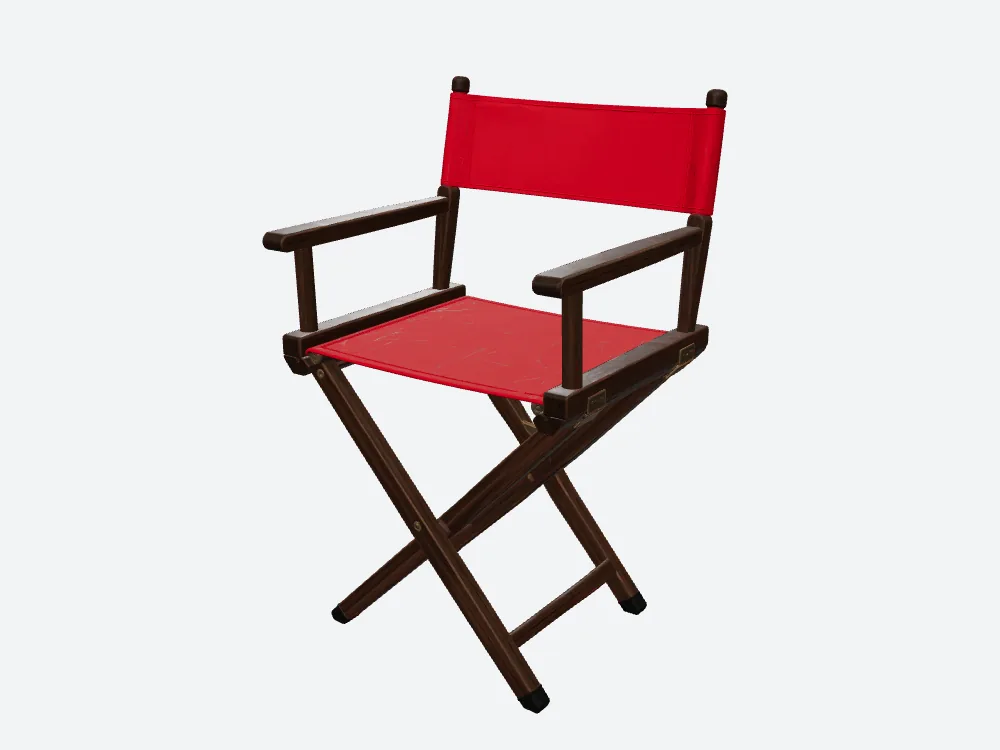
The Meshy chair at three-quarters. Both files show the whole subject from this camera.
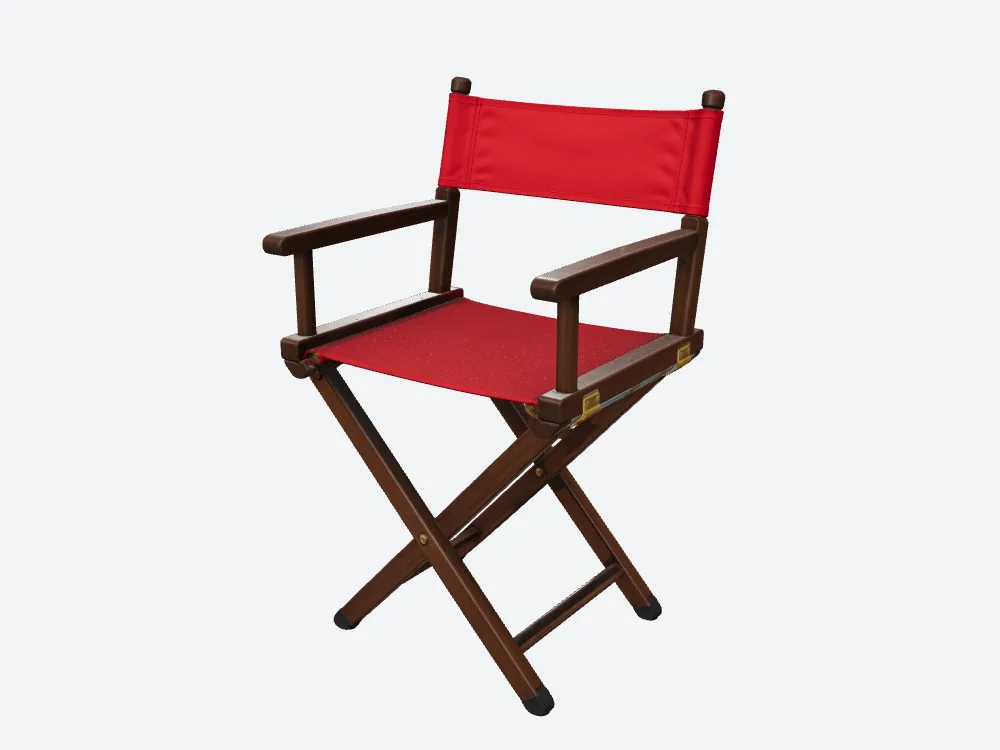
The SupaVoxel chair from the same angle as Meshy's. One thing to keep in mind on every pair in this article: each file has its own idea of which way is forward, so matching camera numbers doesn't guarantee a matching view. Don't read these as overlays.
What about the back nobody has a picture of?
The source illustration shows the chair from the front. That's it.
So whatever is on the back of Meshy's chair or the other one, both tools made it up.
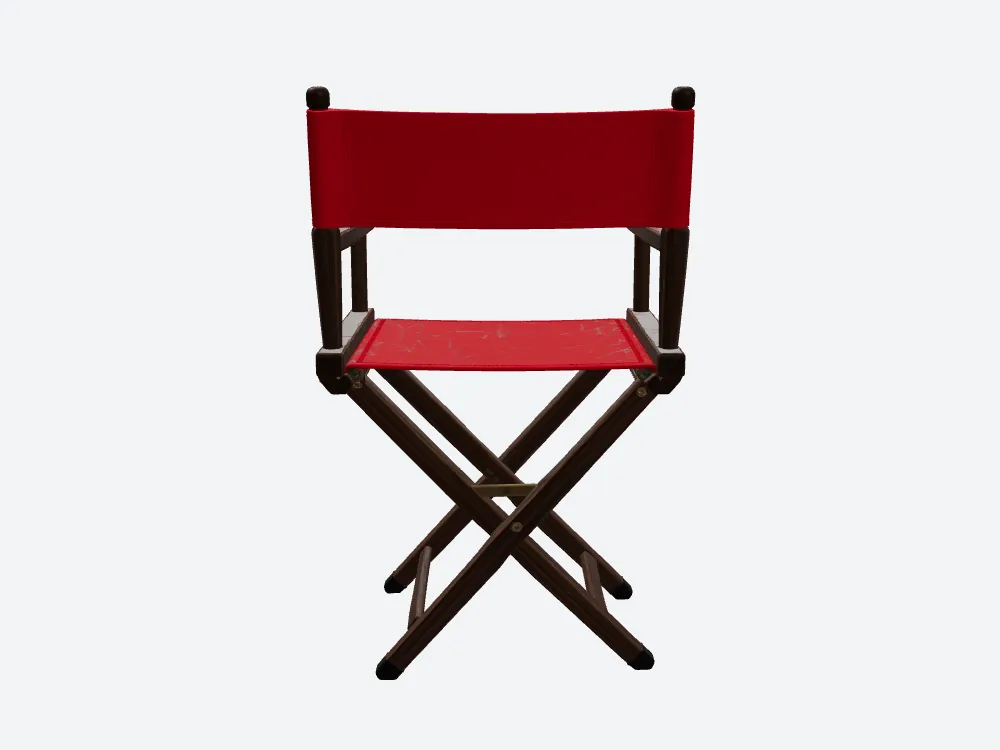
Meshy's chair from behind. This surface was never in the input.
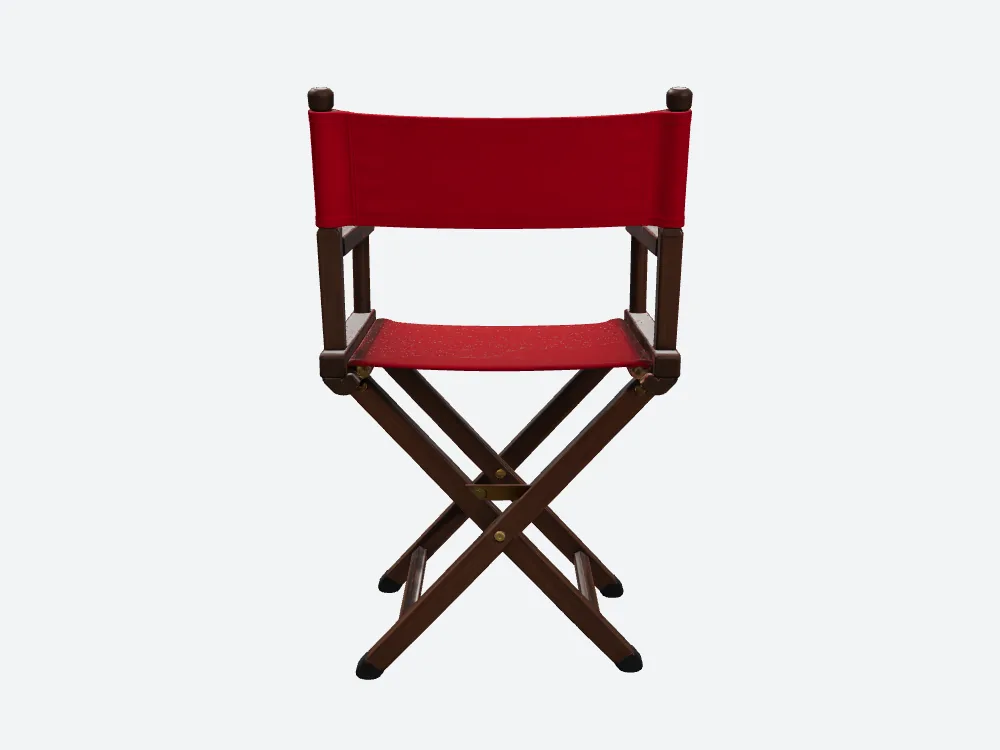
The SupaVoxel chair from the same rear camera as Meshy's.
I'm not scoring this pair and neither should you. There's no right answer to compare against.
I'm still publishing it, though. A comparison that only shows the angles where Meshy struggles isn't evidence — it's editing. Both back views came off the same camera numbers as everything else here.
Meshy's back, close up. This is the camera that would expose patched holes or odd hardware if either tool generated any.
The SupaVoxel back close-up from the same camera and zoom as Meshy's.
What the better-looking file costs you to move around
Fidelity is worthless if nobody waits for it, so I weighed Meshy's file and the other one and did the division.
Meshy's chair is 15,262,068 bytes. The other one is 10,245,480. Both came out as GLB — the single-file 3D format that packs geometry and textures into one blob, which most web viewers and engines read with no conversion. Same format out of Meshy and out of the other tool, so this is like for like.
On a clean, steady 12 Mbps phone connection, Meshy's file is about 10.2 seconds of pure transfer against 6.8. On a 100 Mbps desktop line, Meshy is about 1.22 seconds against 0.82. Those are division, not stopwatch readings — the same assumption applied to Meshy and to the other file, with no handshake, decode or cache.
Here's the version that matters. Someone lands on your prop page on a train. Ten seconds of blank viewer is where people swipe away, and with Meshy you'd be spending those seconds on the file with the faceted seat. That's the worst trade in this whole test: paying more wait for less fabric.
Scale it to a project. A hundred props at Meshy's size is about 1.53 GB on your drive against 1.02 GB — half a gigabyte of set dressing you get back for free. On the credit side, a hundred runs works out to 3,500 Meshy credits against 300 SupaVoxel credits. Meshy credits and SupaVoxel credits are two different plans in two different units, so that is not a price ratio and I'm not turning it into one. All of those are straight multiplication of this one Meshy run and the one beside it, assuming nothing fails.
What happens when the pretty file won't open
One scenario beats every render on this page, so it gets its own section.
Every GLB declares the extensions it requires — features a reader must support or it refuses the file. Meshy's list is empty. The compressed SupaVoxel file requires EXT_meshopt_compression and KHR_mesh_quantization. Meshopt compresses the geometry; quantization stores coordinates in smaller number formats. Both need a decoder at the other end.
So if your importer is old, or locked down, or belongs to a client: Meshy's single file at least tries.
And that is exactly why SupaVoxel ships two exports. The same menu also gives you an original-size GLB — no meshopt, no decoder, nothing to install. The compressed build goes on the page where every megabyte counts; the original-size build goes to the importer that won't budge. One generation, two deliverables, no converter to hunt down. A continuous seat fabric is worth nothing in a viewer that can't load it, which is the whole argument for having both files in hand.
Meshy's flags and the SupaVoxel file's are measured; the import outcome is inference — I loaded neither into a real importer and didn't measure what converting would cost.
What I couldn't measure, and won't pretend I did
Failure counts: not captured. Retry counts: not captured. For Meshy and for the other side alike. I didn't record them this run, so I don't have them.
I also didn't capture what Meshy or the other product claims on its own pages. Nothing here is scored against a published number.
That matters more than it sounds. If Meshy's faceted seat was a bad roll and a retry would have fixed it, one run would never tell me — and the same is true in reverse for the fine specks on the other side. Generated output is random. One image proves one image.
So which one do you pick for a prop like this?
- It has to survive a close shot on fabric — the SupaVoxel file, on these crops. 1,500,000 triangles and 854,468 corners against Meshy's 254,336 and 146,472.
- It's background dressing and memory is tight — Meshy. About 7.7 MB of estimated geometry memory against 45.3, by arithmetic on an illustrative layout.
- Your importer can't decode meshopt — Meshy's single file, or SupaVoxel's original-size export. Both decoder-free; only one also leaves you a light copy for the page.
- Which one is cheaper — undecidable here. 35 credits on Meshy's plan, 3 on the other, two different units, not a price.
- Whether the chair would actually fold or the arms detach — not answered by Meshy or by the other tool. A 2× crop is not a manufacturing test.
Where Meshy actually wins
I'd be selling you something if I stopped here. Meshy takes real points in this test, and if you're in any of these situations, Meshy is the better answer.
Meshy's main file requires no extensions at all. Measured, and a real point: one file, no decoder, no conditions. On the SupaVoxel side you get there by taking the original-size export from the same menu, which needs no decoder either.
The exchange rate: Meshy's single no-conditions file costs you the faceted fabric and 5 MB more download. If you'd rather never think about which export to grab, that's a fair price. I didn't test either file in a real importer, so treat that as what the files declare.
Meshy's model is far lighter once loaded. Estimated from the vertex and triangle counts, Meshy's geometry needs around 7.7 MB of memory against around 45.3 MB.
The exchange rate: roughly six times less memory pressure, paid for with canvas that runs out of edges. For a chair in the deep background, Meshy's is the smarter file and I'd use it. For anything the camera gets near, no.
And Meshy was faster — 245.8 seconds against 274.9, about 29 seconds sooner. One run each, each tool timing its own clock.
What I won't claim from these pictures
- Not that Meshy is worse in general. One image, one run, one prop.
- Not that Meshy's chair or the other one would fold. Nothing here was tested for mechanism, thickness or assembly.
- Not that either file is production-ready. Rigging, target engine and physical validation were all outside this test.
- Not anything about cost. One job ticket said 35 credits, the other said 3 — two different plans, two different units, not a price comparison. No multiple, no dollar figure, no "cheaper" in either direction.
Final verdict: Meshy scores 60/100 for this job
At full frame, Meshy's director's chair holds up. The red panels read, the frame reads, the connectors read. If your prop lives at a distance, this is a perfectly good Meshy file and it opens anywhere.
Zoom 2× into the seat through the same crop box and Meshy's canvas breaks into triangular pleats — 254,336 triangles and 146,472 corners spread across the whole prop, in a 15,262,068-byte download that's bigger than the alternative.
60/100 is my call on this one chair from this one run. Generated output is random enough that a second run could land differently for either tool.
Go zoom into your own render before you decide
If your prop has to survive a close shot on fabric, supavoxel.com is where I'd start for a job like this.
But do the thing I did, whichever tool you use. Render your model from the front, crop the same rectangle out of it at 2×, and look at the surface that's supposed to be soft. Full-frame previews are designed to make everything look fine. Thirty seconds of zooming tells you more than any spec sheet.
How I tested this
One illustration of a director's chair, generated for this project with GPT Image 2, given to Meshy and to SupaVoxel. No text prompt on either side. One run each.
Meshy ran Image to 3D at High Detail, Ultra 2K, texture on, multi-view off. The other side ran a full generation at 5 steps, guidance 5.5, background removal on, octree resolution 256.
Every render came out of the same offline viewer at the same resolution with the same fixed lighting, using identical camera numbers on both sides — front at yaw 0, three-quarters at yaw 35, side at 90, back at 180, plus a back close-up and a top view. Each file carries its own built-in orientation, so identical numbers don't guarantee an identical semantic angle, and none of these pairs is a pixel overlay.
Both detail crops were cut from the front render using the same normalised box on each side and resampled 2×. The seat crop covers the fabric crease and the brackets; the crossbar crop covers the X-frame crossing and the pivot.
Triangle counts, vertex counts, texture counts, file sizes and required extensions were read out of Meshy's downloaded GLB and the other one, after their hashes checked out. The geometry memory figures are arithmetic, not measurement: they assume 32 bytes per vertex and 4 bytes per index, exclude textures and mipmaps, and are not real VRAM.
Failure counts and retry counts were not captured in this test, and neither were any published claims from either tool. Those numbers aren't in this article because I don't have them.
Originally published on Medium: Meshy AI 3D Review 2026: The Chair Seat Splits Into Triangles.